
Instant meetings
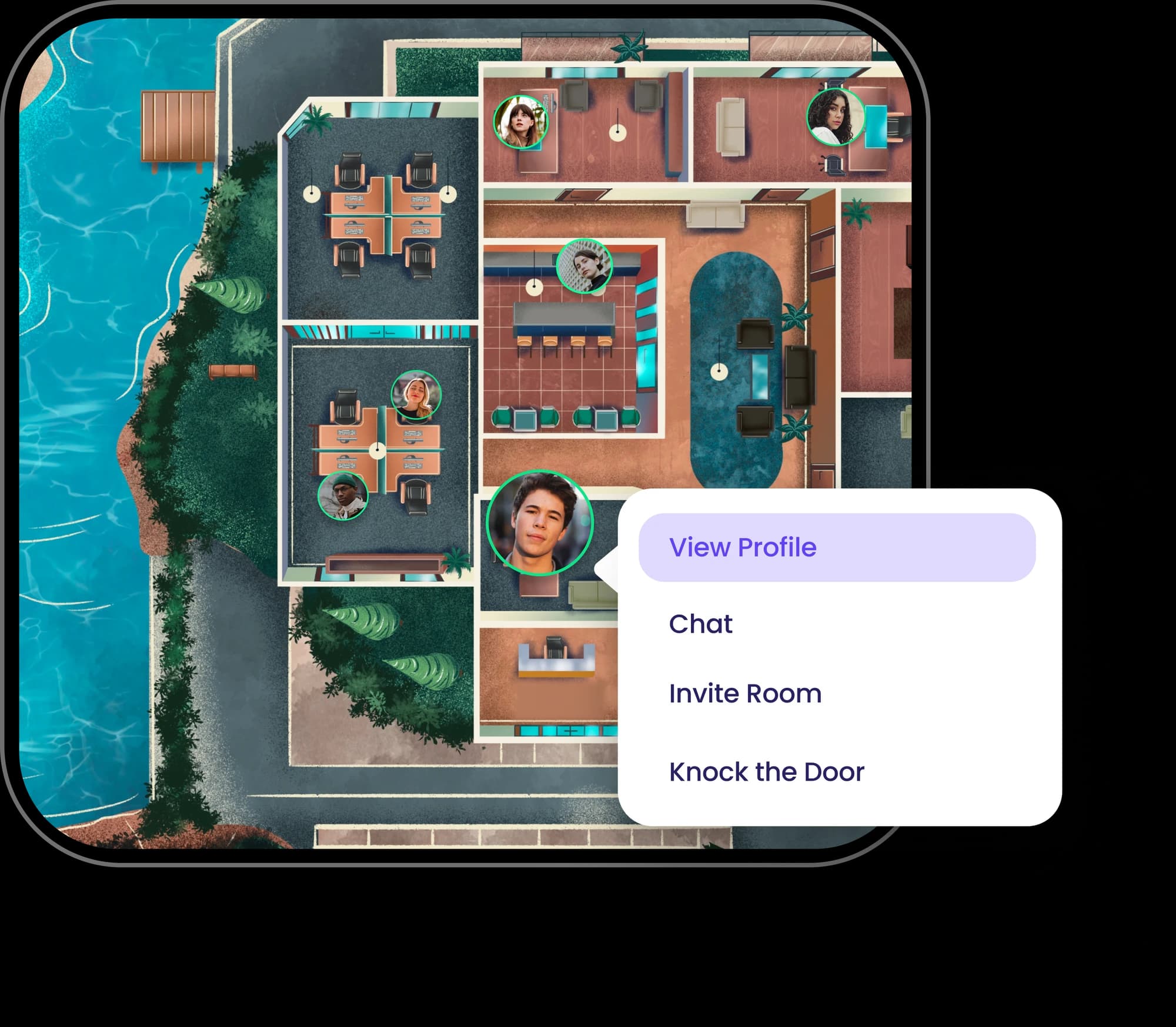
Some conversations cannot wait for a calendar slot. In Parea you start a meeting the moment you need it: knock on a colleague's door and you are talking. There is no link to create and nothing to send.
Scheduled meetings
Plan a meeting in advance in Parea's built-in calendar, which is included in every plan, and add participants. Each participant gets an invitation by email and can add the meeting to Google Calendar from it.
Join with video or audio
Turn your camera on for a face-to-face conversation, or join with audio only when you would rather just talk. You choose each time you join.
Screen sharing
Share your screen to walk your team through a document, a design or a piece of code. Several people can share their screens at the same time, so you can compare work side by side.
Flexible layouts
Change how the meeting looks on your screen to fit what you are doing, from a team discussion to a presentation.
Virtual backgrounds
Replace what is behind you with a virtual background, so you can join from anywhere without showing your room. Choose one of the ready-made images, upload your own, or simply blur your background.
Smart notifications
Parea notifies you about what needs your attention, so you do not have to keep watching the office: when someone knocks on your door, when someone invites you to their room and, on Pro and Enterprise, when a meeting summary is ready.
More for your meetings
Frequently asked questions
Short answers to what teams ask us most.
Yes. Parea Meet is Parea's built-in meeting feature. You meet with video or with audio only, without a separate meeting tool.
Yes. Parea Meet supports both instant and scheduled meetings.
Yes. Screen sharing is part of Parea Meet.
Yes, on the Pro and Enterprise plans. You invite external guests with a link, and they wait in a waiting room until you admit them.
Up to 1,000 people can join a single meeting.
Yes. Instant and scheduled meetings, the Parea calendar, screen sharing, flexible layouts, virtual backgrounds, smart notifications and the whiteboard are included in the Free plan. Guest access, recording and AI meeting notes require Pro or Enterprise.
No. Parea runs in the browser. Apps for Windows, macOS, iPhone and Android are also available.